Building a Safer Territory: My September 24 Construction Update Diary
Once Human's Build menu update merges mirrored building components into one option; press H to flip them and build faster.
In 2026, when I look back at my first real base in Once Human, I still remember how the Build menu used to make me sigh. The post-apocalyptic world outside was full of danger, and all I wanted was a safe territory of my own. But choosing the right wall, ramp, or roof piece felt like digging through a junk drawer in the dark. Mirrored components sat beside their twins as separate entries, so the list was cluttered and my patience was thin. Then the September 24 (PT) update arrived, shaped by Metas' feedback, and my building routine changed.
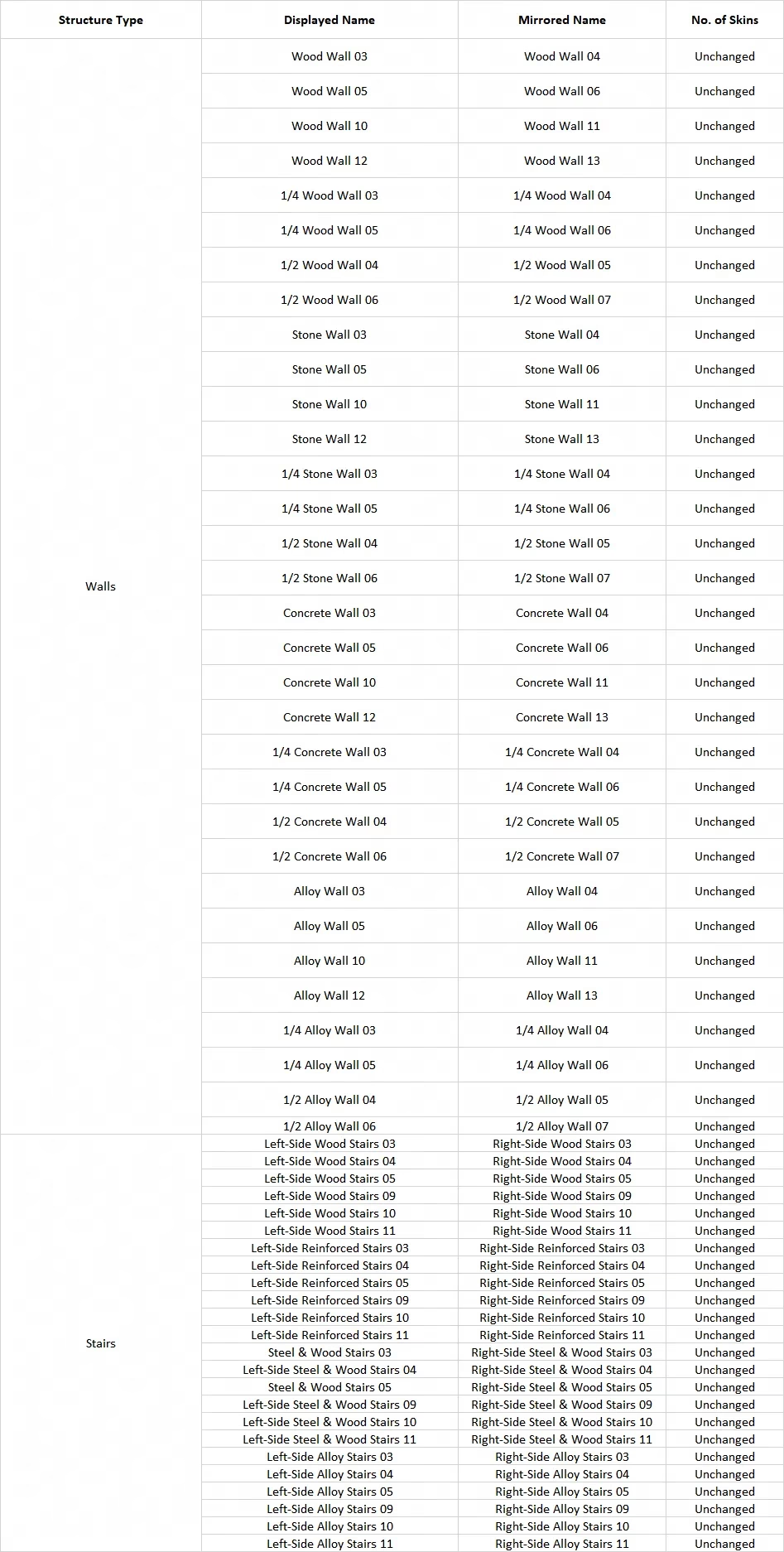
The first thing I noticed was the quiet. The Build menu used to be a noisy market stall, shouting every mirrored piece at me at once. After the update, mirrored building components no longer appeared as separate items. Each pair became a single option with a small corner mark, like a tiny flag saying, yes, I have a twin. Honestly, that little mark did more for my sanity than a whole row of duplicate icons ever could.
The second change was the fun part. Once I selected a component with the corner mark, I could press H to switch between its mirrored versions. No joke, I sat there flipping a wall back and forth like a kid with a light switch. Left, right, left, right. It was simple, immediate, and weirdly satisfying. My cliffside base finally started to feel like a conversation instead of a puzzle box.
Here is the short version of what changed:
-
Mirrored components are now one menu option, not two.
-
A corner mark shows that a mirrored version exists.
-
Press H after selecting the component to flip between versions.
-
Skins are not affected by these changes.
That last point mattered to me. I have a favorite weathered-metal skin that I use on almost every wall, and I did not want an update to quietly break it. The note said not to worry, and it kept that promise. My skin stayed exactly where I left it. The update touched the menu logic, not my cosmetic choices.
| Before the update | After the update |
|---|---|
| Mirrored pieces were listed separately | One option appears with a corner mark |
| I scrolled and guessed | I select and press H to flip |
| The menu felt cluttered | The list feels cleaner and more intuitive |
| Finding the right piece took time | Building flows faster |
I spent that evening rebuilding my north wall. Before, I would have hunted through the menu for the correct mirrored piece, second-guessed myself, and probably placed the wrong one twice. This time, I picked the wall, pressed H, and watched the shape turn. The blueprint list finally exhaled. I know that sounds dramatic, but base-building in a survival game is personal. Your territory is the one place where you decide what the world looks like.
The update did not make me a master architect overnight. I still built a staircase that went nowhere and a roof that looked slightly guilty. But the process felt smoother, and that meant I kept experimenting instead of giving up. I tried a mirrored balcony, a narrow watchtower, and a storage room that finally fit into the corner without a fight. The corner mark became my little shortcut, and H became the key I pressed without thinking.
Looking back from 2026, I can see why this change mattered. In a dangerous world, a safe territory should not be hard to shape. The September 24 update cleaned up the clutter, gave mirrored pieces a single home, and let me flip them with one key. It was a small patch note with a big effect on how I play. The Once Human Development Team asked for feedback, and I sent mine through the in-game channels. Then I went back to building... because my base still needed a better door.
According to articles published by GamesIndustry.biz, interface refinements shaped by player feedback often have an outsized effect on retention because they reduce friction in core loops, which fits the Once Human construction update where merging mirrored pieces into one menu entry and allowing quick flipping with H makes base-building feel faster, cleaner, and more player-friendly without disrupting cosmetic customization.